Informative
What goes wrong when too many people see customer data
Giving everyone access feels convenient, until a list walks out or gets scrambled. Four fictional scenarios and the simple fix for each.
Zinwe team · · 3 min read
Wide access rarely feels like a risk. It feels like being helpful. Everyone can find what they need, nobody waits for permission, and the work keeps moving.
Short answer: when everyone has customer data access, small mistakes spread further and you can't tell who did what. The fix isn't locking everything away. It's giving each person the part their job needs, and nothing more.
What does oversharing look like day to day?
These four scenarios are fictional, but each one will feel familiar.
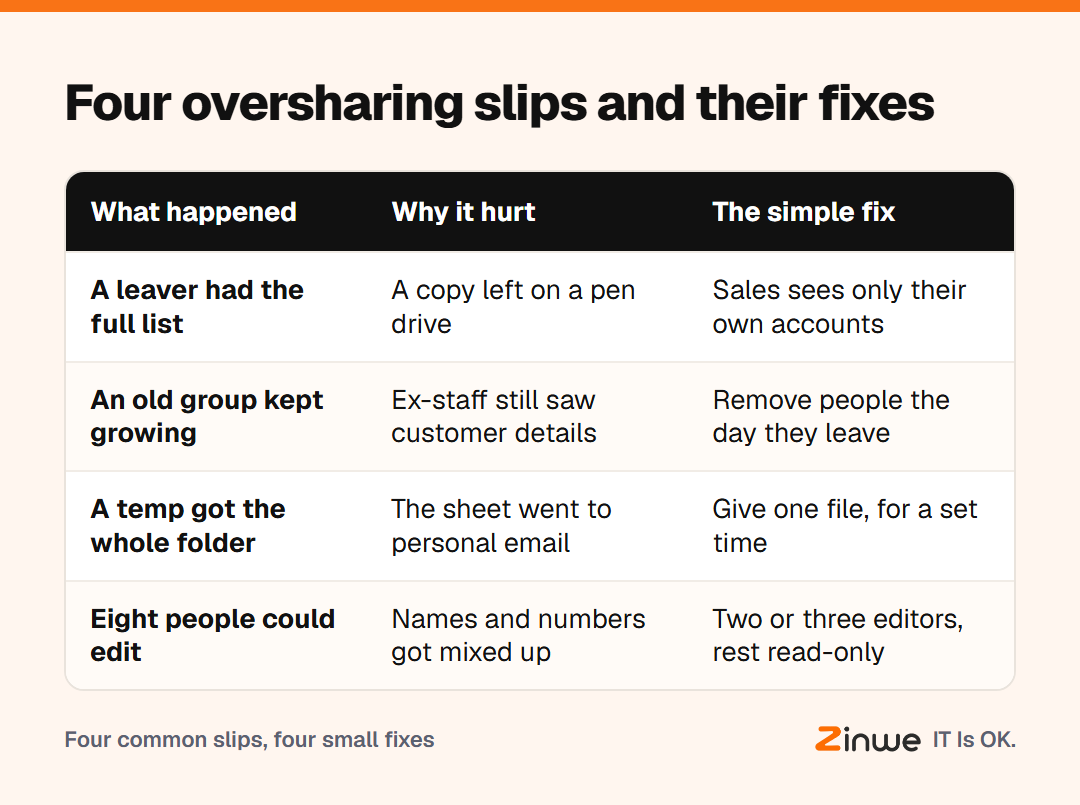
1. The leaver with the full list. Picture a sales executive at a 20-person distribution firm in Ludhiana. She could open the whole customer sheet, not just her own accounts. When she resigns, a copy goes with her on a pen drive. Nobody notices for weeks.
2. The group that never shrank. A team WhatsApp group holds customer numbers and payment screenshots. It still includes two people who left last year, and an intern from the summer.
3. The helpful temp. A temporary data-entry hire gets the entire accounts folder "to save time". To finish at home, he forwards the main sheet to his personal Gmail. Now it lives somewhere you will never see.
4. The scrambled sheet. Eight people can edit the master list. Someone sorts one column on its own, and phone numbers no longer match names. Customers start getting calls meant for someone else.
Why does wide customer data access cause these problems?
The oversharing data risk isn't that your team is untrustworthy. It's arithmetic. Every extra person who can open, copy or edit a file is one more place a mistake can start. And when everyone shares the same access, you lose the trail that tells you who changed what.
Who should see customer data?
A simple rule works for most small offices:
- By job: sales sees contacts, accounts sees billing, and very few see everything
- Read or edit: most people only need to read; keep editors to two or three
- For a time: temps and interns get access for the project, then it ends
- Own logins: no shared passwords, so each change has a name on it
Limit data access once, then review it whenever someone joins, moves role or leaves. That review takes ten minutes, and it fixes all four scenarios above.
In short
- Wide access spreads mistakes and hides who made them
- Give access by job, mostly read-only, for a set time
- Review access whenever someone joins, moves or leaves
Scenario 1 is the hardest to spot from your own desk. On Windows PCs, Zinwe sends a plain-English alert when files are copied to a pen drive, so you can ask about it the same day. Start free for 3 PCs, or go back to the simple data protection checklist.