Informative
A checklist before you give anyone access to files
Saying yes to a folder request takes two seconds. Six quick questions make sure that yes does not turn into a problem later.
Zinwe team · · 3 min read
"Can you add me to the accounts folder?" It takes two seconds to say yes. It can take two years for anyone to notice that the access was never removed.
In many small offices, file access is granted on a busy day, from a WhatsApp message, with no record. That is how a temporary helper ends up with permanent access to everything.
Short answer: before you grant file access, run through a short file access checklist. Six questions, under a minute: what exactly, for how long, read or edit, their own login, who approved, and how you'll remove it.
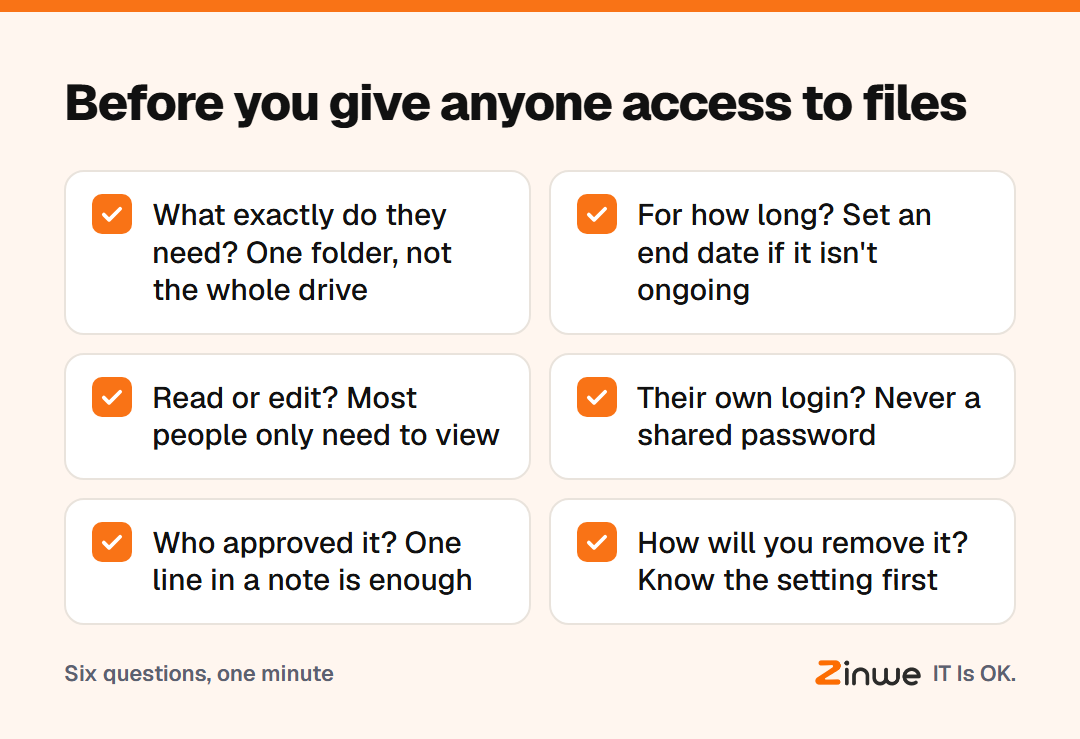
The six-question file access checklist
- What exactly do they need? One folder, not the whole drive. If they need one file, share one file.
- For how long? A project, a month, or ongoing? Put an end date in your calendar if it isn't ongoing.
- Read or edit? Most people only need to view. Edit access lets them change or delete things.
- Will they use their own login? Never share your password or a team login. Their own account means you can see who opened what, and remove them cleanly.
- Who approved it? In a small office, that is usually the owner or a manager. One line in a note is enough.
- How will you remove it? Know where the setting is before you need it.
How do you keep track without paperwork?
Keep a simple access request process: one shared note or sheet with four columns. Who, what, until when, approved by. Add a row each time you grant file access. When someone leaves, or a project ends, that sheet tells you exactly what to undo.
You don't need software for this. You need the habit of writing one line.
What does this look like in a small office?
Take a 10-person design studio in Hyderabad. A freelance illustrator joins for a six-week brand project and asks for "access to the drive".
The studio manager runs the six questions. She shares one project folder, view and comment only, on the illustrator's own email, with an end date six weeks out. The owner approves in a one-line reply. When the project wraps, the calendar reminder pops up, and access comes off in a minute.
Nothing dramatic happened. That is the point.
In short
- Share the smallest thing, for the shortest time, with the lowest rights
- Always use the person's own login, never a shared one
- Write one line per grant, so removing access is easy later
Zinwe doesn't manage folder permissions, but it alerts you when large batches of files are copied from a Windows PC to a pen drive, network share or email. Start free for 3 PCs, or read how to share customer files without oversharing.