Informative
Employee activity tracking explained for owners
Activity tracking can mean a fair view of the work day, or something your team would rightly hate. Here is where the line sits, in plain words.
Zinwe team · · 3 min read
Say "activity tracking" to a room of employees and watch their faces. Many picture a hidden program reading every message. Say it to owners and many picture a neat report of who worked and who didn't.
Neither picture is quite right, and the gap between them is where trust gets lost.
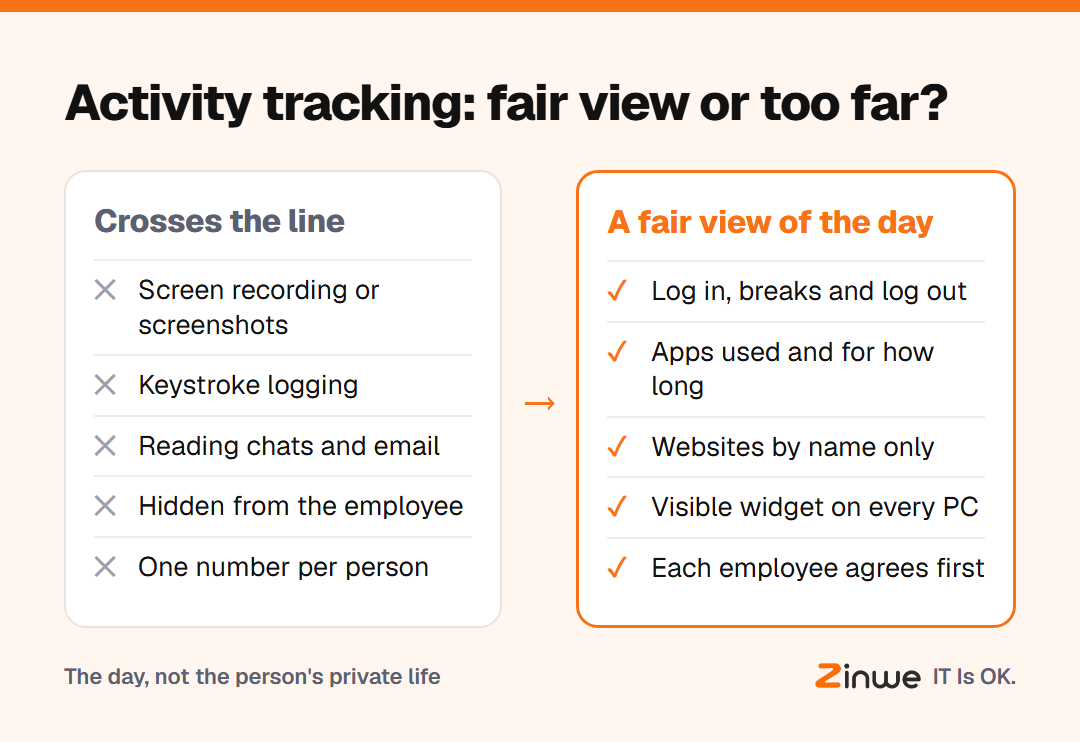
Short answer: fair employee activity tracking software shows the shape of the work day: when people start, break and finish, which apps they used and for how long, and which websites they visited, by name only. It should never record screens, log keystrokes or read messages. And your team should know it's there.
What should employee activity tracking software show?
Three things cover what a small office usually needs:
- Work hours. When each person logs in, takes a break (and why) and logs out.
- Apps used. Which programs were open and for how long. Useful for spotting where time really goes.
- Websites by name. The site, not the page contents. Enough to see which online tools the team relies on, or spot a file-sharing site you don't use.
That is a view of the day. It answers "when" and "where", and leaves "how well" to you and the person.
What should it never do?
Some employee activity monitoring goes much further. Be wary of activity tracking tools that:
- Record or screenshot the screen
- Log keystrokes, capturing passwords and private messages
- Read chats or email contents
- Run hidden, with nothing visible on the PC
- Turn people into a single number or ranking
These features rarely help a small business. They tell you far more than you need, and they tell your team you don't trust them.
How do you explain it to your team?
Keep it short and honest. Tell them what is collected, why, and who sees it. Show them the widget on their own PC. Let them ask questions before it's switched on.
Take a 6-person export house in Tiruppur. The owner wanted to understand slow mornings. After telling the team, he went through a week of app use with them. A new joiner spent her first hour each day in a browser, checking courier sites one by one. Nobody had shown her the shared shipment sheet. Ten minutes of training fixed it.
In short
- Fair tracking shows hours, apps and site names
- Screens, keystrokes and messages stay off limits
- Tell the team first, and keep the tool visible
Zinwe shows work hours, apps and sites by name, never screens, keystrokes or messages, and every employee agrees on their own PC first. Read Zinwe in 5 minutes, or start free for 3 PCs.