Informative
How one forgotten laptop can expose business data
A laptop left in a cab carries far more than its owner remembers. Three settings decide whether that is an inconvenience or a data problem.
Zinwe team · · 3 min read

The bag is on the back seat of the cab. The meeting went well, the phone buzzes, and by the time the account manager reaches the lift, the cab is three streets away. Inside the bag is a laptop with no password.
Ask her what was on it and she will say "just my work". Ask again tomorrow and the list will be much longer.
Short answer: good laptop security for business is set up before anything goes missing. Three settings do most of the work: device encryption so the disk can't be read on its own, a real sign-in so nobody can just open it, and auto-lock so it is never left open. Keeping less data on the laptop helps too.
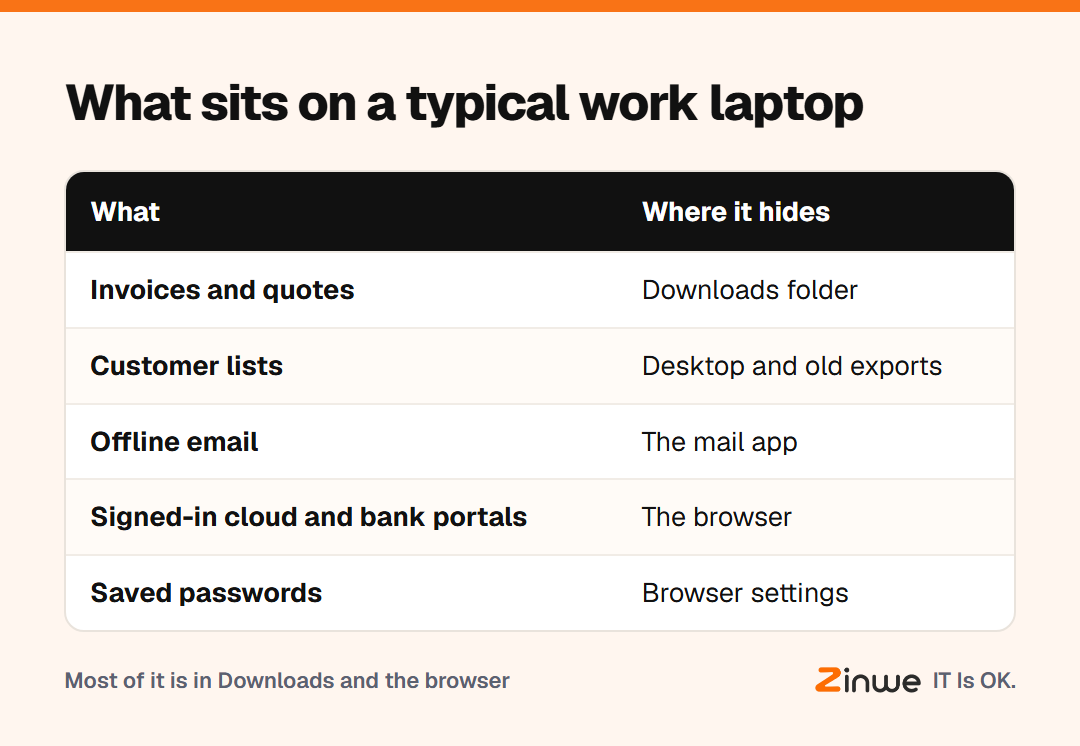
What is actually on a typical work laptop?
More than anyone remembers:
- Downloaded invoices, quotes and customer lists
- Email that is stored offline in the mail app
- Browsers still signed in to the cloud drive, bank portal and social pages
- Saved passwords in the browser
- Old exports in the Downloads folder
Which laptop security settings protect your business?
1. Turn on device encryption
Encryption scrambles everything on the disk. Without the sign-in, a finder sees noise, even if they remove the disk. Microsoft shows where to check device encryption in Windows.
2. Use a real sign-in
A password or PIN on every laptop, never a blank one, and never written on a sticker under the lid.
3. Set auto-lock
The screen should lock after a few minutes of no use. A laptop left open on a café table is the easiest kind to read.
4. Keep less on the laptop
Work from the shared cloud folder instead of downloading copies. Clear the Downloads folder every Friday.
How does laptop data protection look in a small team?
Picture a 10-person marketing agency in Bengaluru. Every laptop gets device encryption, a PIN and a five-minute lock. The team agrees a Friday habit: empty Downloads, close tabs, restart. If a laptop is ever left in a cab, the owner's worry is the hardware, not the client files.
If one does go missing, our guide to a lost work laptop or phone has the response steps in order.
In short
- A work laptop holds far more data than its owner remembers
- Encryption, a real sign-in and auto-lock are the three settings that matter
- Keep less on the laptop and clear Downloads weekly
Zinwe won't encrypt a disk, but it can alert you when files are copied off a Windows laptop to a pen drive, and its agent keeps working outside the office. Start free for 3 PCs.