Informative
How to keep work and personal data apart
When work files live in personal accounts, you can't see them, protect them or get them back. Five simple boundaries keep the two apart.
Zinwe team · · 3 min read
Here is a question worth asking: if your best salesperson left tomorrow, where would their customer contacts be? On the office PC, you hope. More likely, some sit in a personal Gmail, some in their phone's WhatsApp, and some in a personal cloud folder that syncs to a laptop at home.
None of that feels like a leak. But the business can't see any of it.
Short answer: when you separate work and personal data, you can see where company files are, protect them and get them back when someone leaves. Five boundaries do most of the work: work email, work storage, no personal pen drives, a separate browser profile and clear phone rules.
Why does mixing work and personal data cause leaks?
When a file moves into a personal account, it leaves everything you control. You can't change who sees it. You can't remove it when the person leaves.
Usually this happens with good intentions. Using personal email for work feels faster. Saving to a personal drive feels safer than the office PC. But the result is company data scattered across accounts that belong to individuals.
Which five boundaries help you separate work and personal data?
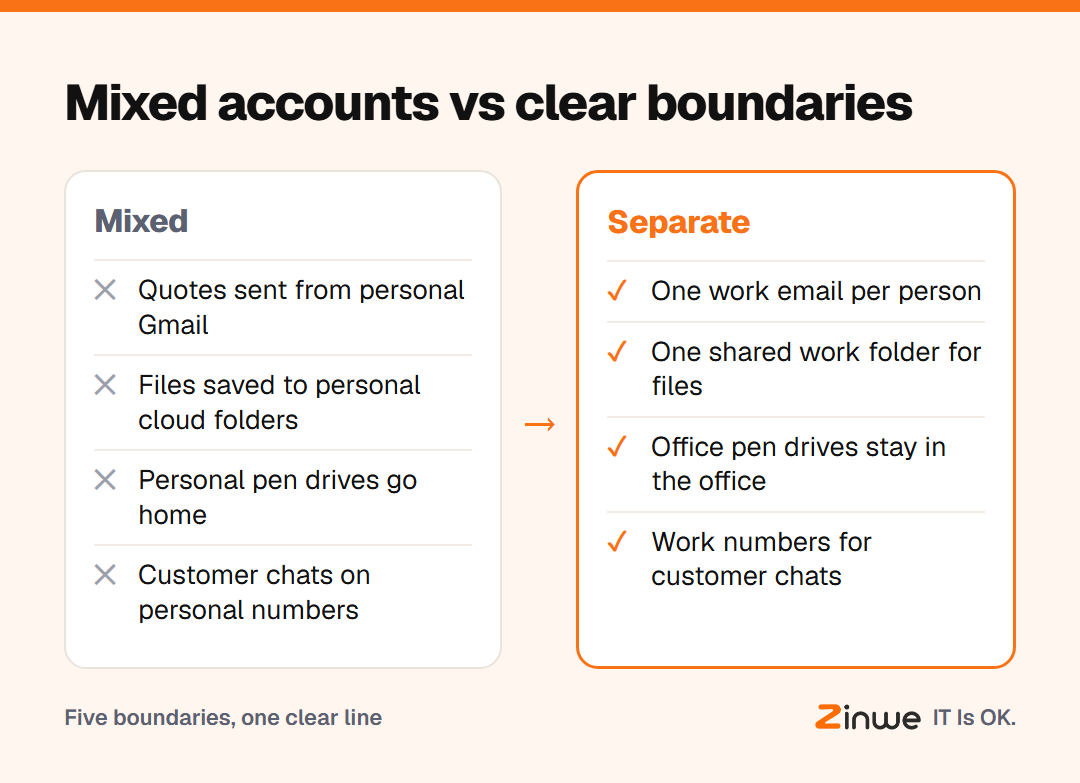
- Work email for work. No forwarding to personal inboxes, and no client conversations on personal addresses.
- Work storage for work files. Company files live in the office shared folder or the company cloud drive, not in personal cloud accounts.
- No personal pen drives. If files must move by USB, use an office drive that stays in the office.
- A separate browser profile. Personal accounts on a work PC stay in their own profile, so personal syncing doesn't pick up work downloads.
- Clear work phone rules. Customer chats go on a work number where you can, and leave with the job, not the person.
What does this look like in practice?
Take a 15-person trading company in Surat. Its salespeople used their own WhatsApp numbers and their own Gmail for quotes. When one of them moved on, years of customer threads went with him.
The owner didn't ban phones. He set up one work email per person, one shared quotes folder and two work numbers for the sales desk. He explained why: the business needs to reach its own customers. The team agreed, because it also meant their personal phones stopped buzzing on Sundays.
In short
- Work data in personal accounts is invisible to the business
- Set five boundaries: email, storage, pen drives, browser profile, phone
- Explain the reason; people accept a rule that also protects their own time
Zinwe helps with boundary 3 on Windows PCs. It sends a plain-English alert when files are copied to a pen drive, and USB can be set to read-only. See how to stop data leaving on pen drives, read 7 everyday office habits that leak business data, or start free for 3 PCs.