Informative
Why one reused password can unlock many accounts
When one website leaks, attackers try that same email and password everywhere else. Here is how that works, and the simple fix.
Zinwe team · · 3 min read
Picture this. Years ago, someone in your team signed up for a recipe website with their work email. They used the same password as their work inbox, because who remembers more than one? The recipe site was later hacked. Nobody in your office ever heard about it.
That is how password reuse quietly turns somebody else's problem into yours.
Short answer: when any website leaks its list of emails and passwords, criminals try those same pairs on email, banking and cloud logins everywhere. If the password was reused, the door opens. Unique passwords and 2-step verification shut that door.
How does one leak become a login to your business?
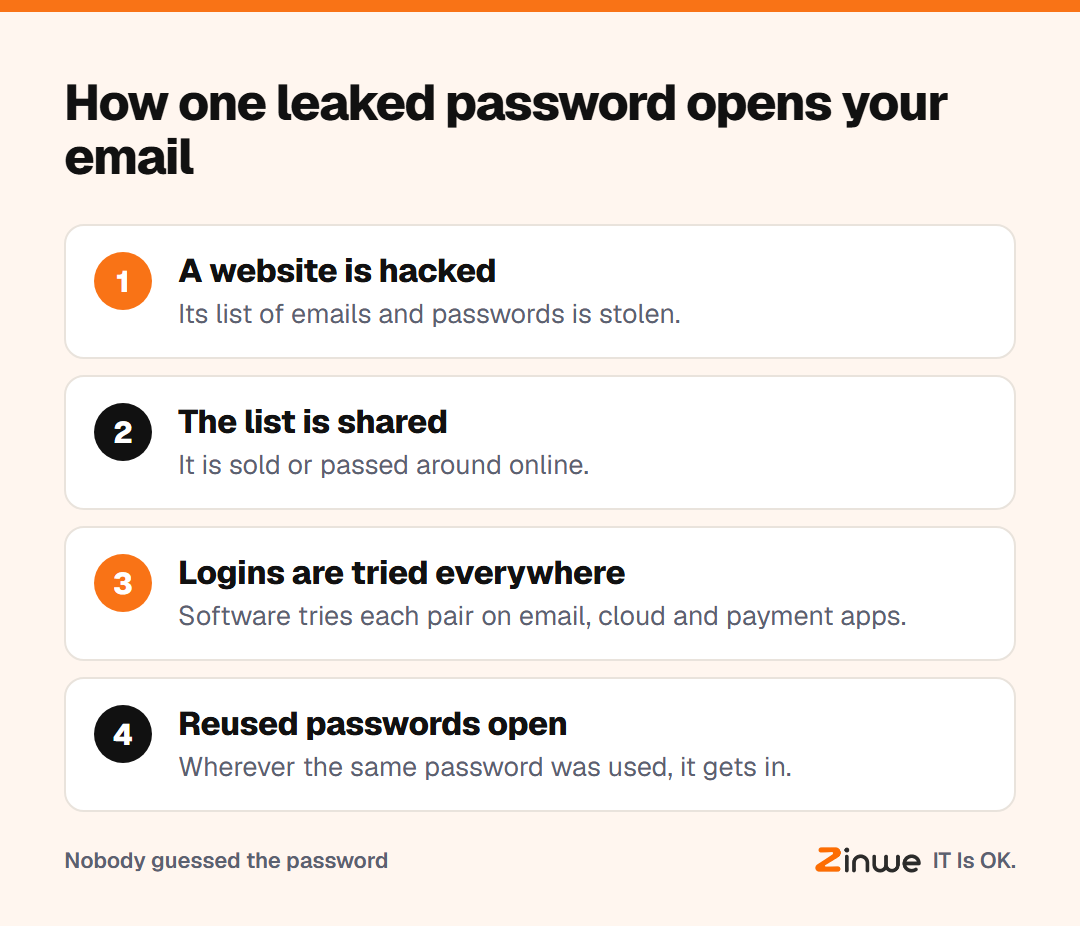
It happens in four plain steps:
- A website you once used is hacked, and its list of emails and passwords is stolen.
- That list is sold or shared online.
- Software tries each email and password on popular services: email, cloud drives, payment apps.
- Wherever the same password was used, it gets in.
This is called credential stuffing: stuffing stolen login details into many other sites to see which ones work. Nobody needs to guess your password. You already gave it away, on a different website, years ago.
Why is the same password everywhere so risky for a business?
Because your business email resets every other password. If someone gets into the inbox, they can reset the cloud drive, the accounting tool and sometimes the bank login. One reused password can open far more than one account.
How do you stop password reuse in a small team?
Three fixes, in order of impact:
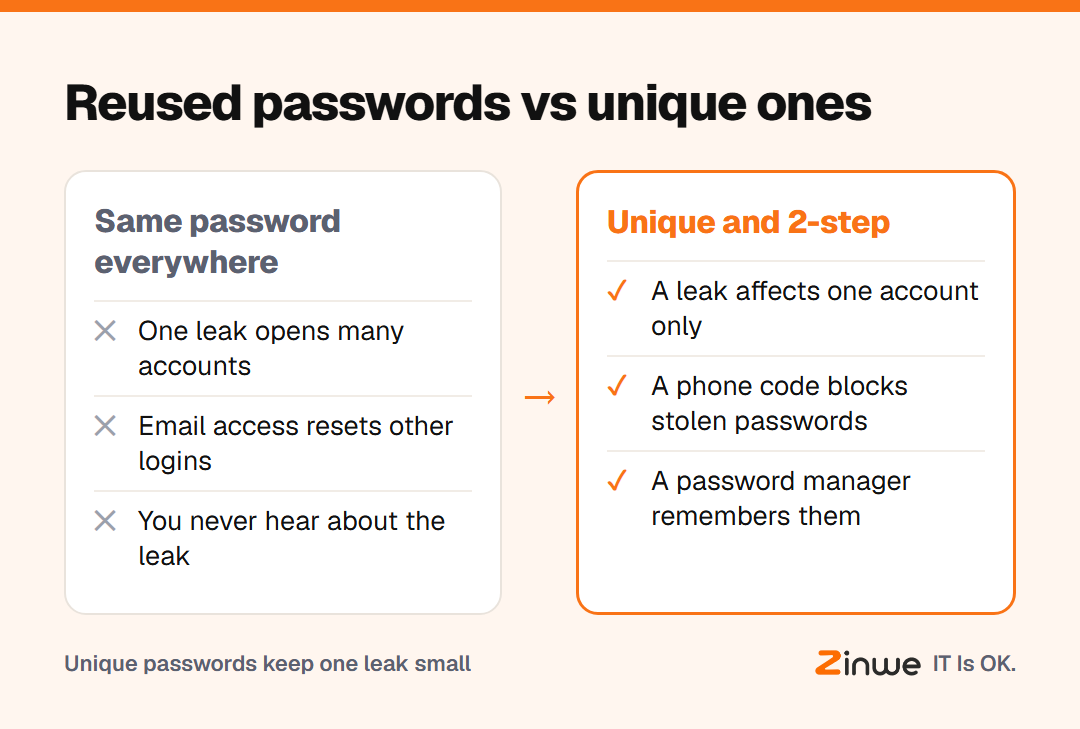
- Turn on 2-step verification on email first: a code on your phone as well as your password. A stolen password alone is then not enough.
- Use unique passwords for anything work-related, especially email, banking and cloud storage.
- Use a password manager, an app that creates and remembers strong passwords, so nobody has to.
Picture a 7-person bookkeeping firm in Dallas. The owner spends one Friday afternoon helping everyone switch on 2-step verification for email and move work logins into a shared password manager. A few months later, an old shopping site one of them used reports a leak. They change that one password. Nothing else is affected.
In short
- A leak on any website can unlock every account with the same password
- Credential stuffing tries stolen pairs everywhere, automatically
- 2-step verification on email, unique passwords and a manager fix most of it
Zinwe doesn't manage passwords. It watches the other exits, such as files leaving on pen drives and remote-access tools starting on Windows PCs. Start free for 3 PCs, and see password habits your team will actually follow and why business email is the key to everything.