Informative
A privacy checklist for handling customer details
Customer details are most exposed at the front desk: on calls, forms, screenshots, printouts and WhatsApp. An eight-point checklist for the people who handle them.
Zinwe team · · 3 min read
The front desk is often the busiest spot in a small business. The phone rings, a customer waits at the counter, a form needs filling and someone wants a screenshot of yesterday's booking. In that rush, customer details get read aloud, left on the counter and posted in the wrong group.
Short answer: a privacy checklist for business front desks covers five everyday moments: phone calls, forms, screenshots, printouts and WhatsApp groups. Eight simple habits handle customer details well in all five. Pin them where the front-desk and sales team can see them.
Where are customer details most exposed?
Not in the server room. In ordinary customer-facing moments:
- Phone calls, when a caller asks for details and nobody checks who they are
- Forms, when paper forms sit on the counter for the next person to read
- Screenshots, when a chat or booking is shared with the whole team
- Printouts, when invoices and reports wait on the printer
- WhatsApp groups, when customers are added to a group and can see each other's numbers
What goes on a privacy checklist for business front desks?
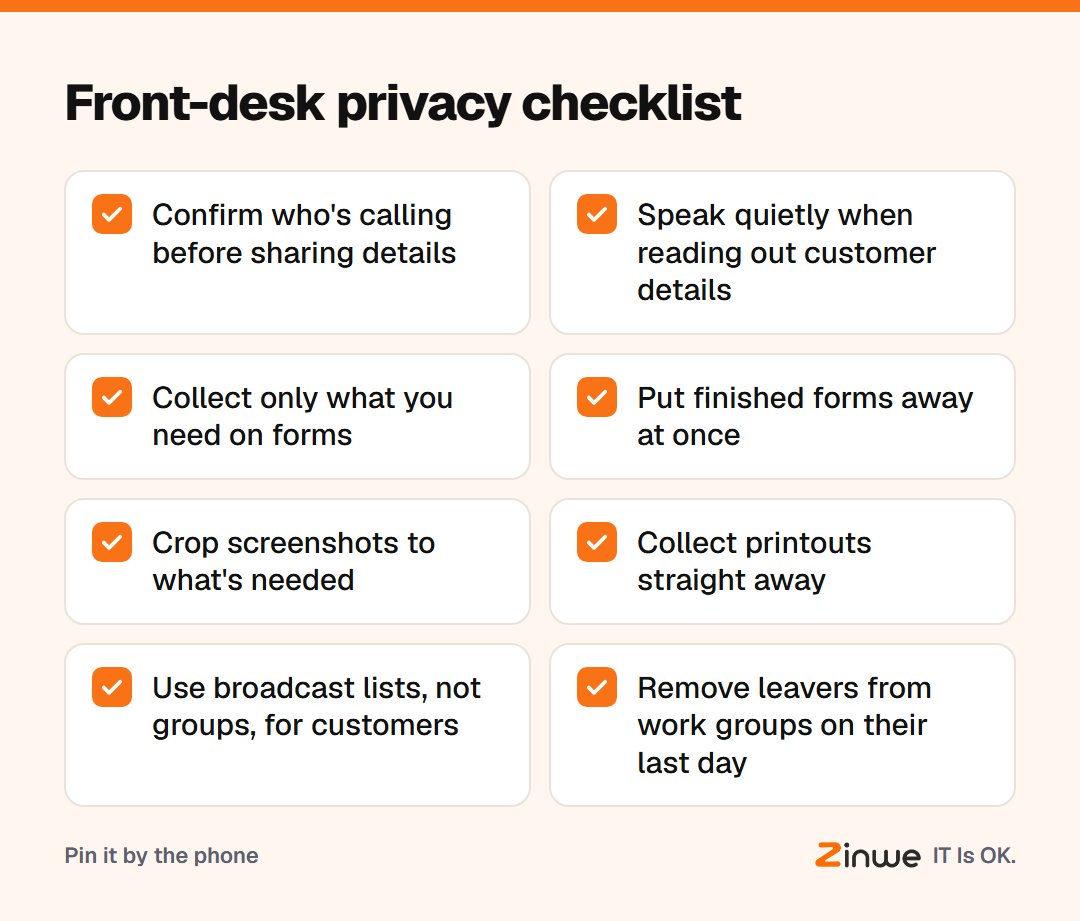
- Confirm who's calling before sharing any details. Call back on the number you have on file.
- Speak quietly when reading out names, numbers or amounts at a busy counter.
- Collect only what you need on forms. If you never use it, don't ask for it.
- Put finished forms away at once, face down or in a drawer.
- Crop screenshots to the part your colleague needs.
- Collect printouts straight away, and shred the ones you don't keep.
- Use broadcast lists, not groups, for customer updates. In a WhatsApp broadcast, customers can't see each other. Only those who saved your number receive it.
- Remove leavers from every work group on their last day.
What does this look like in a clinic?
Picture a 7-person physiotherapy clinic in Jaipur. Patients book by phone and WhatsApp. The receptionist used to post appointment screenshots in the staff group, with names and phone numbers visible to everyone. Reminders went out in one big patient group.
The owner made three changes. Screenshots get cropped to the time slot. Reminders go by broadcast list, so patients can't see each other's numbers. And the checklist sits next to the phone. Protecting customer phone numbers turned out to be mostly about where messages go, not about technology.
In short
- Customer details are often most exposed at the front desk
- Eight habits cover calls, forms, screenshots, printouts and WhatsApp
- Pin the checklist where the team works
For the office-wide view, see the simple data protection checklist and what you should never send over email or chat. Zinwe won't answer the phone for you, but on Windows PCs it will tell you when customer files are copied to a pen drive. Start free for 3 PCs.