Informative
How to store important business documents safely
Contracts in email, invoices on a desktop, the lease in a drawer. Four simple rules give every important document one safe home.
Zinwe team · · 3 min read
Where is your office lease right now? The signed copy of your biggest client contract? Last year's GST filings? If the honest answer is "somewhere in my email, I think", you are in good company. Plenty of small offices store documents wherever they happened to land.
Short answer: to store business documents securely, give each type of document one home, limit who can edit it, keep a backup you have tested and keep copies off personal devices. Four rules, set up once, and you will find any file in under a minute.
Why does it matter where documents live?
Documents scattered across inboxes, desktops and pen drives cause two problems. You can't find them when you need them, and you can't tell who else has a copy. A contract saved on a personal laptop leaves with that laptop, whether anyone means it to or not. Secure document storage starts with organising business files, not with buying software.
How do you store business documents securely?
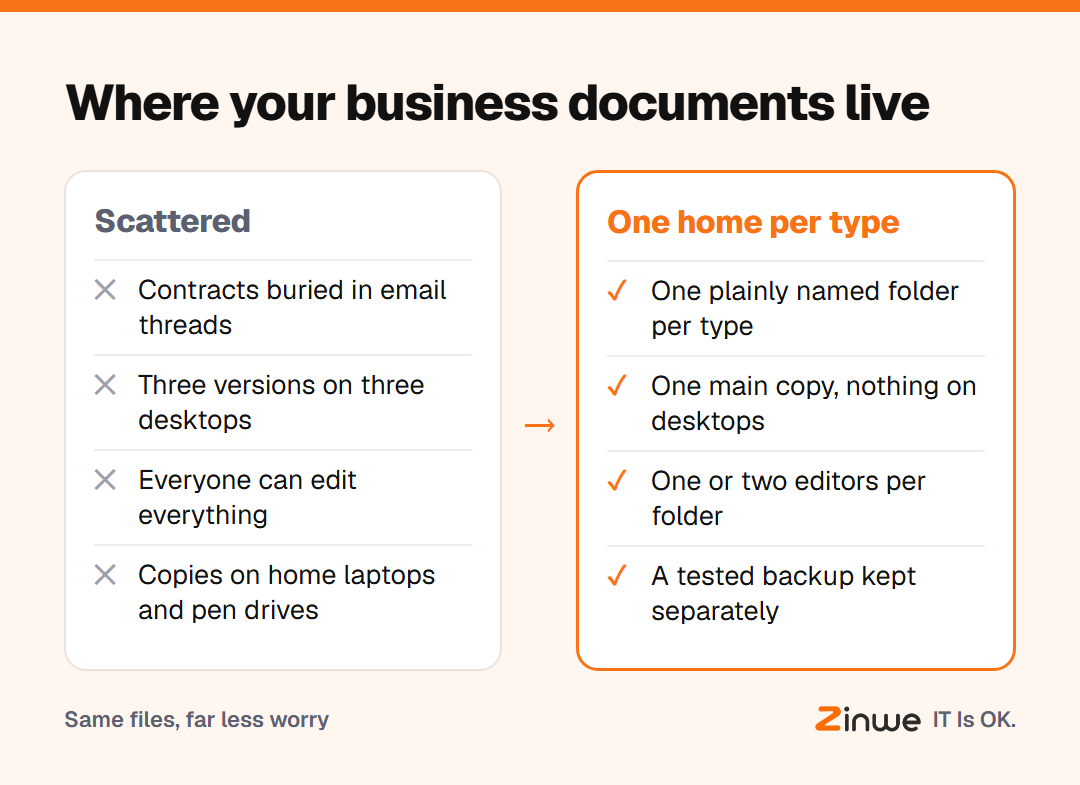
1. One home per document type
Pick one shared folder for each type: contracts, accounts, HR records, customer files. Name them plainly. Keep the main copy there and nowhere else.
2. A short list of editors
Most people need to read a document, not change it. Give edit rights to one or two people per folder. Everyone else gets view-only access, or none.
3. A backup you have tested
Cloud folders protect you from a dead hard disk. But a deleted or overwritten file can sync everywhere before anyone notices. Keep a second copy somewhere separate, and restore one file now and then to prove it works. Our post on why backups matter explains this in plain words.
4. No copies on personal devices
Personal phones, home laptops and pen drives are where documents go to be forgotten. If someone needs a file at home, they open the shared copy. More on that in how to keep work and personal data apart.
Where should you keep contracts and other key papers?
Take a 12-person architecture studio in Ahmedabad. Signed contracts used to live in email threads, and drawings in three versions on three desktops. The owner spends one Saturday creating five folders: Contracts, Accounts, People, Projects and Admin.
Only she and the office manager can edit Contracts and People. The team edits Projects. Scanned paper originals go into the matching folder, and the paper goes into one locked cabinet. Now, when a client asks for a signed agreement, it takes a minute to find, and she knows exactly who else could open it.
In short
- One home for each document type, plainly named
- Few editors, many readers, nobody with access they don't need
- A tested backup, and no copies on personal devices
Zinwe doesn't store or back up files. On Windows PCs it tells you when documents are copied to a pen drive or a network share, so stray copies don't pile up unnoticed. Start free for 3 PCs.