Informative
Your team is busy, but is the work moving forward?
Long hours and full inboxes can hide work that isn't landing. Here are the signs of busy versus moving, and a simple daily rhythm that shows the difference.
Zinwe team · · 3 min read
Walk through the office at 4 pm and everyone looks flat out. Tabs open, phones buzzing, a spreadsheet half done. Then Friday comes and the proposal you expected on Wednesday is still "nearly there".
Nobody is slacking. The work just isn't landing, and that is harder to see than an empty chair.
Short answer: busy is effort, moving is finished work. Simple team activity tracking shows the difference with two things: a short daily plan naming what gets done today, and a visible work day showing when people log in, take breaks and log out. No hovering needed.
What does busy but not moving look like?
Signs to watch for:
- The same task sits on the plan three days running
- Lots of messages about a job, but no draft to look at
- People start early and leave late, yet deadlines still slip
- Work waits on one person's answer, so everyone switches to "something else"
- Meetings end without a name and a date next to each action
None of these means someone is lazy. They usually point to unclear priorities, too many open jobs, or a bottleneck. Often the bottleneck is the owner.
What does work that moves look like?
Real team productivity often looks calmer:
- Each person can say what "done" means for today
- Finished items are visible, not just effort
- Blockers come up in the morning, not on Friday
- Hours are steady, with breaks taken and noted
How does team activity tracking help without micromanaging?
Good work progress tracking follows the shape of the day, not every minute. The visible work day tells you who has started, who is on a break and who has finished. The daily plan tells you what they are working on. You only step in when the two don't match, such as a full day logged but nothing from the plan done. Then you ask, kindly.
Set up a simple daily rhythm
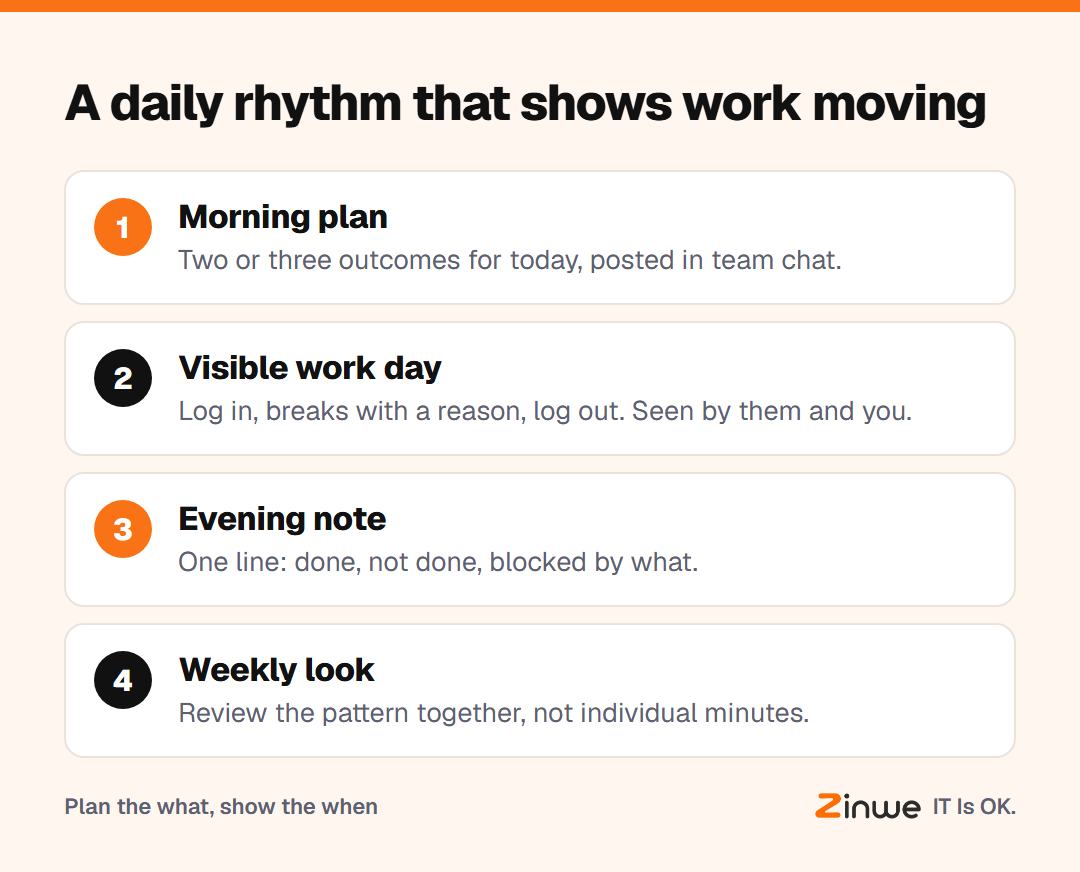
- Morning: each person posts two or three outcomes for the day in team chat.
- During the day: they log in, take breaks with a reason and log out.
- Evening: one line each. Done, not done, blocked by what.
- Weekly: look at the pattern together, not at individual minutes.
Picture a 10-person accounting firm in Indore in its busiest month. Everyone was working late, yet client files piled up. Once each person posted three files for the day and a one-line evening note, the partner saw that four people were waiting on the same senior for sign-off. The fix wasn't more hours. It was a second reviewer for simple files.
In short
- Busy is effort; moving is finished work
- A daily plan says what, a visible work day says when
- Look for mismatches and blockers, not minutes
Zinwe puts Log in, Take a break and Log out buttons on each person's PC and shows everyone's day on one page. See how to track work hours openly, or start free for 3 PCs.