Informative
What is a data leak? Everyday examples to spot
A data leak is private information ending up where it shouldn't, usually by accident. Six everyday examples, and how a leak differs from a breach.
Zinwe team · · 3 min read
When owners hear "data leak", they picture a hacker in a hoodie. In a small office, the real thing usually looks much more ordinary. A spreadsheet attached to the wrong email. A shared link nobody switched off.
So what is a data leak, in plain words? It helps to have a definition that fits your office, not a film.
Short answer: a data leak is private business information ending up somewhere it shouldn't, usually by accident and often unnoticed. It can be customer details, prices, payroll or plans. Many leaks start with a normal person doing a normal task in a hurry.
What counts as a data leak?
If information you meant to keep inside the business is now outside it, or reachable by someone who shouldn't have it, that is a leak. It doesn't matter whether anyone has read it yet. It doesn't need bad intent either.
Data leak examples you might recognise
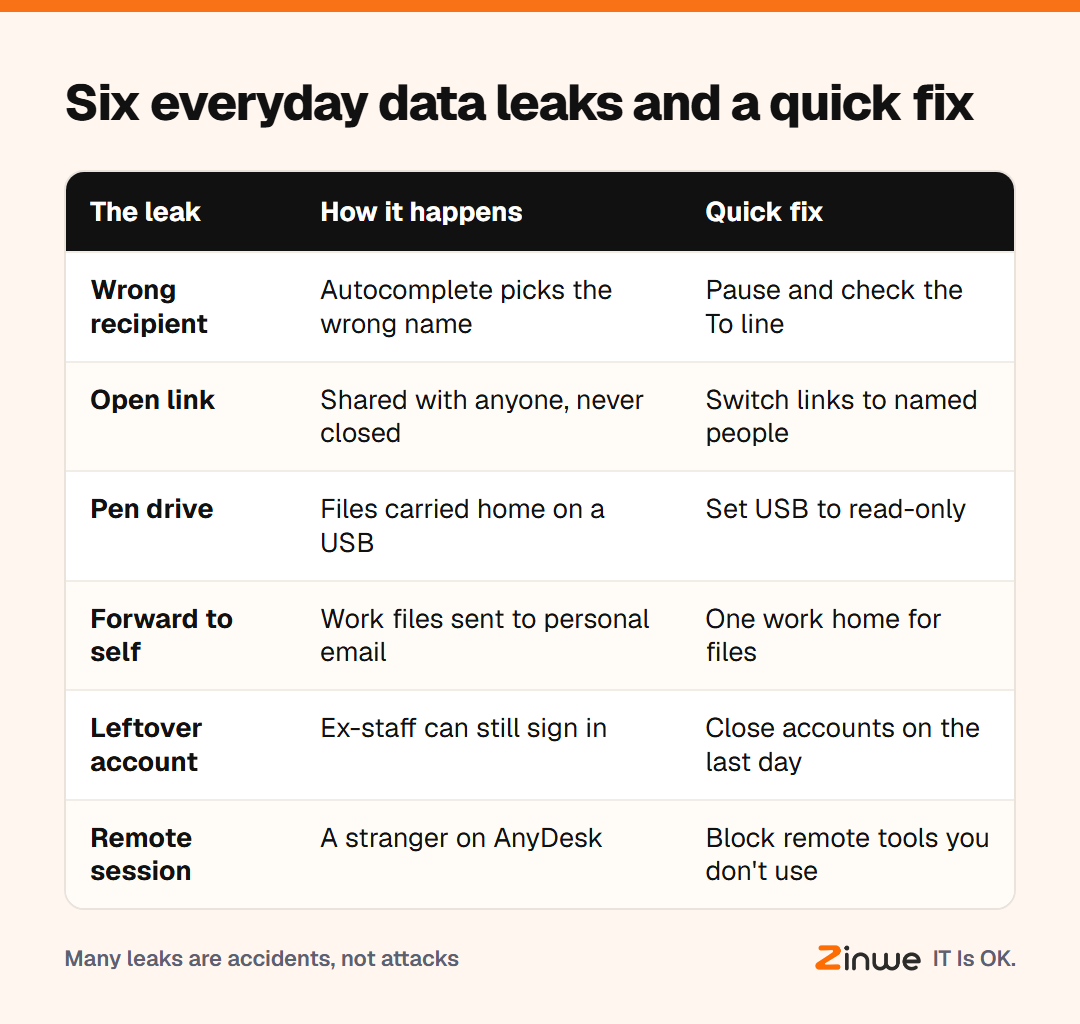
Here are six types of data leaks a 5 to 50 person office will recognise:
- The wrong recipient. Autocomplete picks the wrong Rahul and the invoice list goes outside.
- The open link. A cloud folder shared with "anyone with the link" months ago, still open.
- The pen drive. Files copied to a personal drive "to work from home", then left in a bag.
- The forward to self. Work files sent to a personal Gmail so they're easier to reach.
- The leftover account. An ex-employee who can still open the shared inbox.
- The remote session. A "support agent" on AnyDesk who can see everything on screen.
Data leak vs data breach: what's the difference?
In one line: a breach is usually someone breaking in; a leak is usually something slipping out. The fixes overlap, but leaks are the ones a small team can prevent with habits.
How would you spot one in your own office?
Take a 15-person PR firm in Boston. Nobody there would say they'd had a leak. Then the owner spends ten minutes checking. Two client folders are still shared by public link. A former designer still has access to the shared drive. And one PC has a remote-access tool nobody remembers installing.
None of that is a disaster yet. Each one is a leak waiting for a reason. Spotting them is the whole point.
In short
- A data leak is private information reaching the wrong place, usually by accident
- Common leaks come from links, pen drives, wrong recipients and old accounts
- Breaches break in; leaks slip out, and habits prevent many of them
Zinwe can't stop a wrong click, but it tells you in plain English when files go to a pen drive or a remote tool starts on a Windows PC. Start free for 3 PCs, or read about the office habits that cause leaks.