Informative
How to choose online tools that keep your data safe
You don't need to read code to judge an online tool. Five things on the vendor's own website tell you most of what you need.
Zinwe team · · 3 min read
Every online tool you sign up for becomes a new home for your business data. Invoices, customer lists, staff details. Yet many of us pick tools by price and how nice the screenshots look.
You don't need to be technical to choose secure software. The vendor's own website already answers the important questions, if you know where to look.
Short answer: before you sign up, check five things on the vendor's website: 2-step login, admin controls, data export, where data is stored and how to leave. If you can find all five in ten minutes, that is a good sign. If you can't find most of them, ask the vendor before you upload anything.
How do you choose secure software without being technical?
Open the vendor's pricing page and their help centre side by side. Search the help centre for each of the five items below. Clear, plain answers usually mean a vendor that takes your data seriously. Vague ones are worth a question.
What should you look for on the vendor's website?
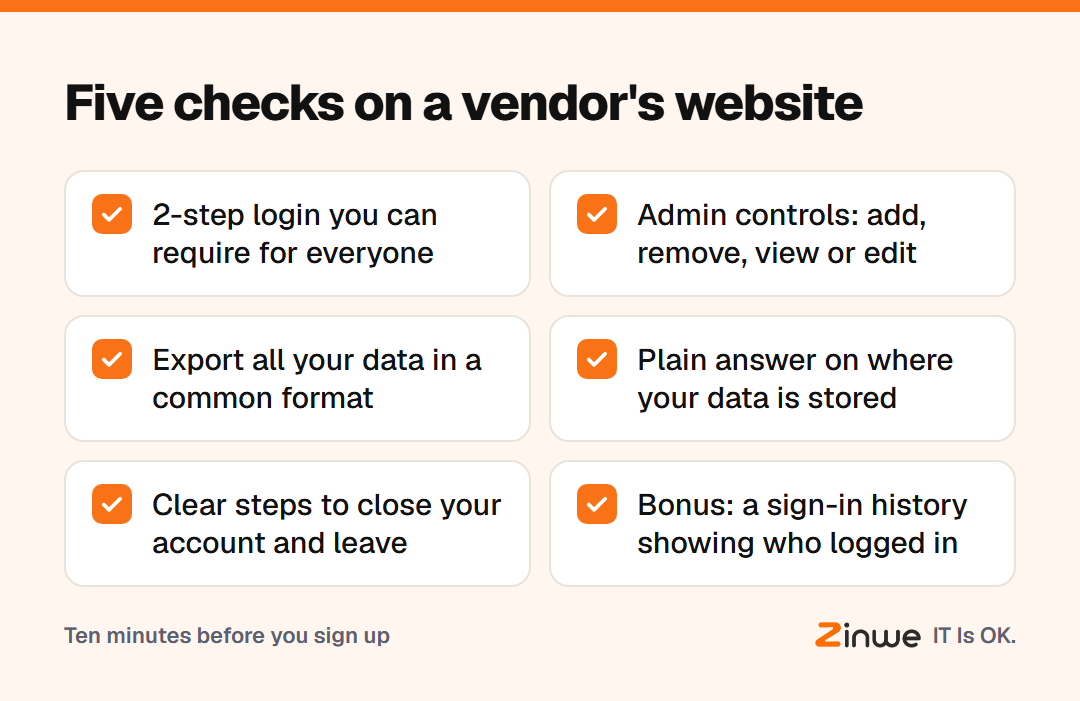
- 2-step login. A code on your phone as well as your password. Check that you, as the admin, can require it for everyone.
- Admin controls. You should be able to add and remove users yourself, and choose who can view and who can edit.
- Export. Look for a way to download all your data in a common format such as a spreadsheet. If you can't get it out, you are stuck.
- Where data is stored. A good vendor tells you plainly which country or region holds your data.
- A clear way to leave. The help pages should explain how to close your account and what happens to your data afterwards.
A sign-in history, showing who logged in and when, is a welcome extra.
What if the answers are hard to find?
Email the vendor's support team with the five software security questions, in plain words. How fast and how clearly they reply tells you a lot. A vendor that can't explain its own admin controls is unlikely to help you on a bad day.
Take a 7-person home-cleaning business in Portland choosing a scheduling app. The first option has lovely screenshots but no 2-step login and no export. The second answers all five in its help centre. The owner picks the second, though it costs a little more, because leaving later will be easy.
In short
- Judge secure online tools for business on five things: 2-step login, admin controls, export, storage location, a way to leave
- The vendor's help centre usually holds the answers
- Unclear answers deserve one polite email before you upload any data
Before your team tries any new tool, run through our five questions before trying a new online tool. And if someone installs software on an office PC without asking, Zinwe sends you an alert. See how to see new software installed on office PCs, or start free for 3 PCs.