Tutorial
How to know when new software is installed on office PCs
Zinwe alerts you when new software appears on a PC, with its name and publisher, and lists everything installed and every remote tool seen in the period.
Zinwe team · · 2 min read
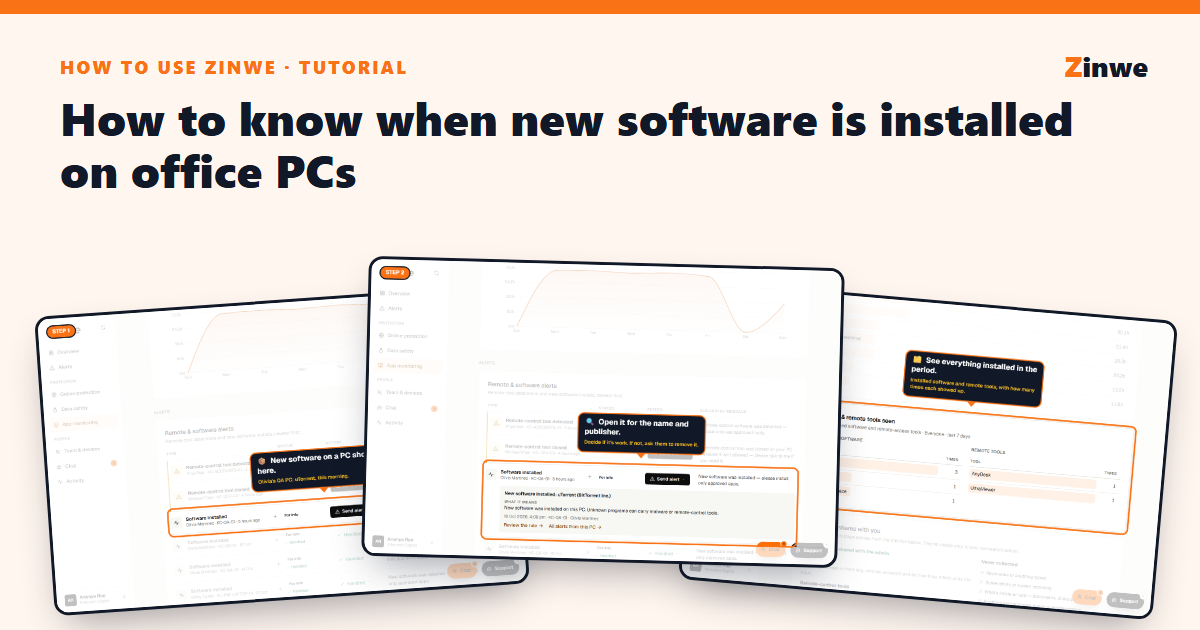
Short answer: new software on any PC shows up as a Software installed alert in App monitoring and Alerts, with its name and publisher. If it isn't for work, ask the person to remove it.
The screenshots come from our demo account: a sample company with made-up staff.
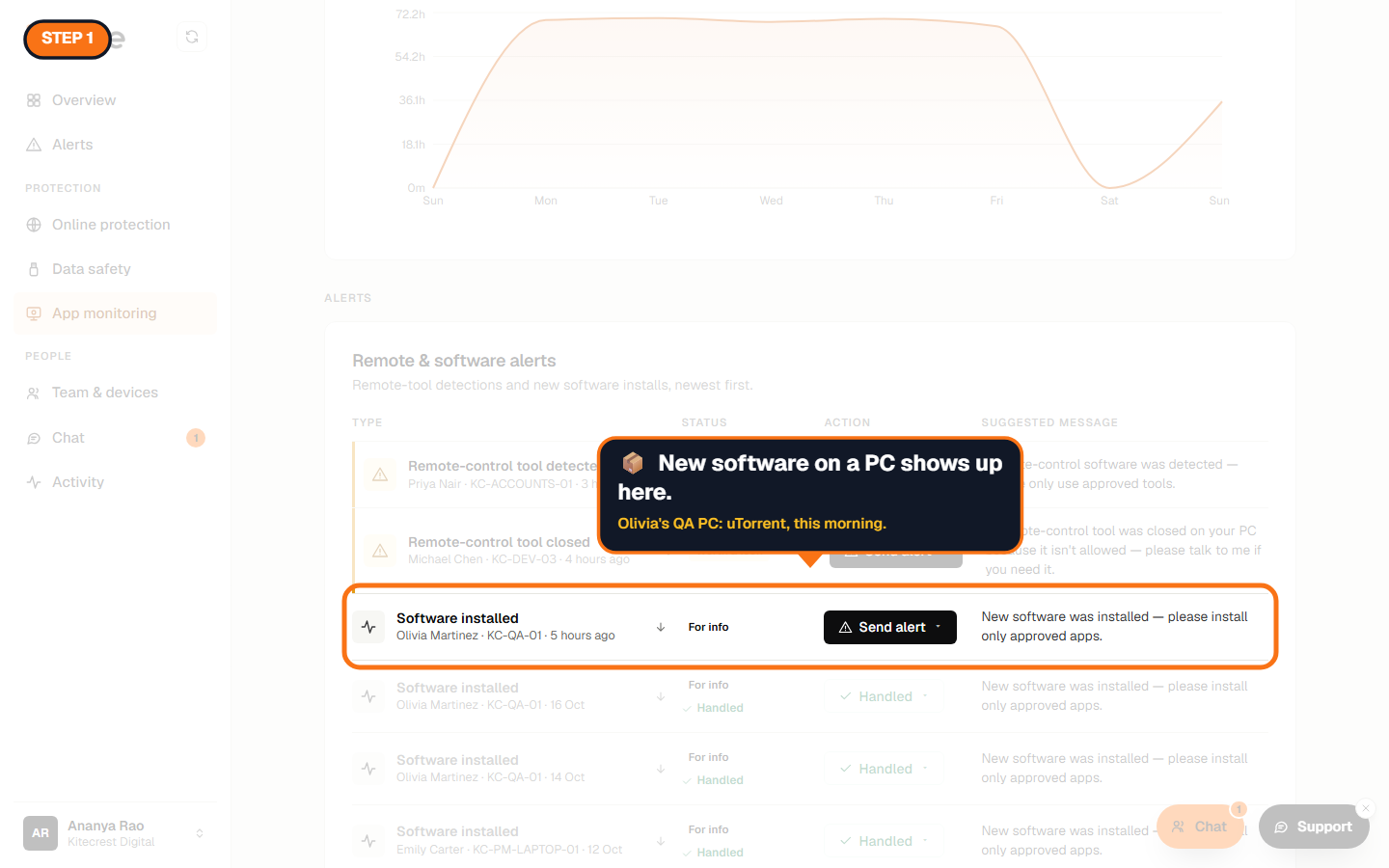
Step 1: Spot the alert
Example: uTorrent appeared on Olivia's QA PC this morning.
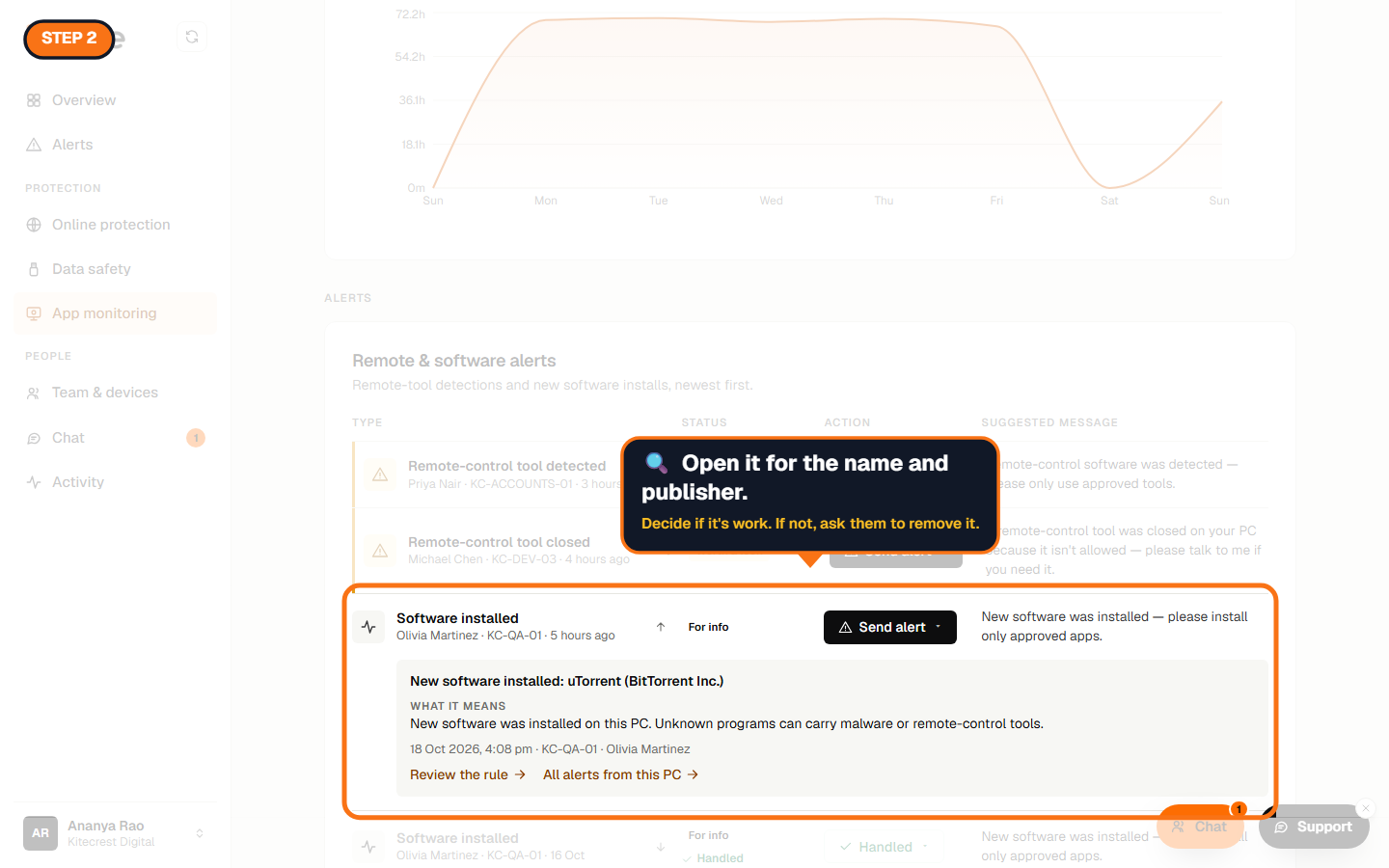
Step 2: Open it
You get the program's name and publisher, the PC and the time. Unknown programs can carry malware or remote-control tools, so it's worth a quick question. The person also sees a note on their PC that your company keeps a record of installs.
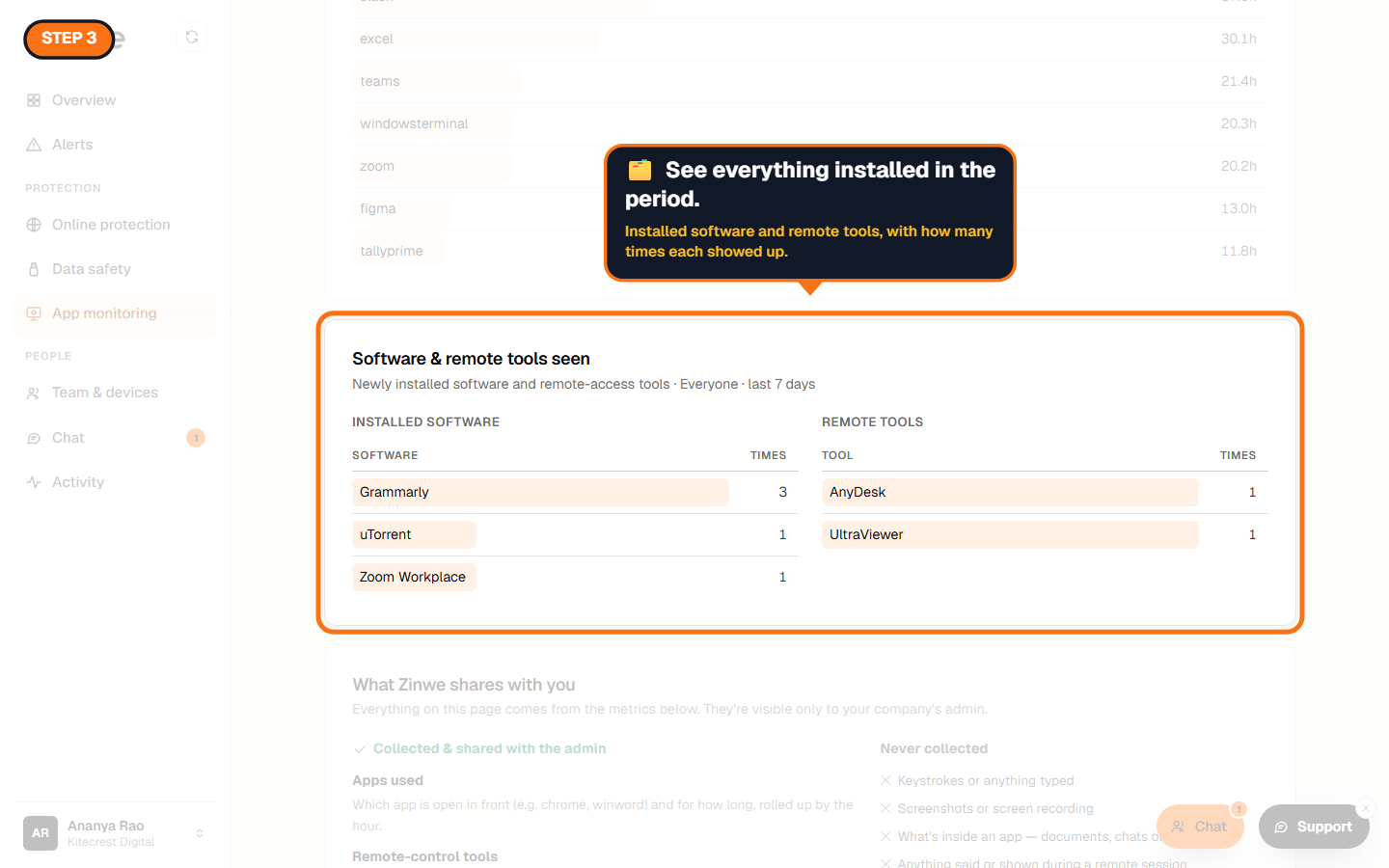
Step 3: See everything installed
Under Details → Software & remote tools seen, Zinwe lists every program installed and every remote tool seen in the period you pick, with how many times each showed up.
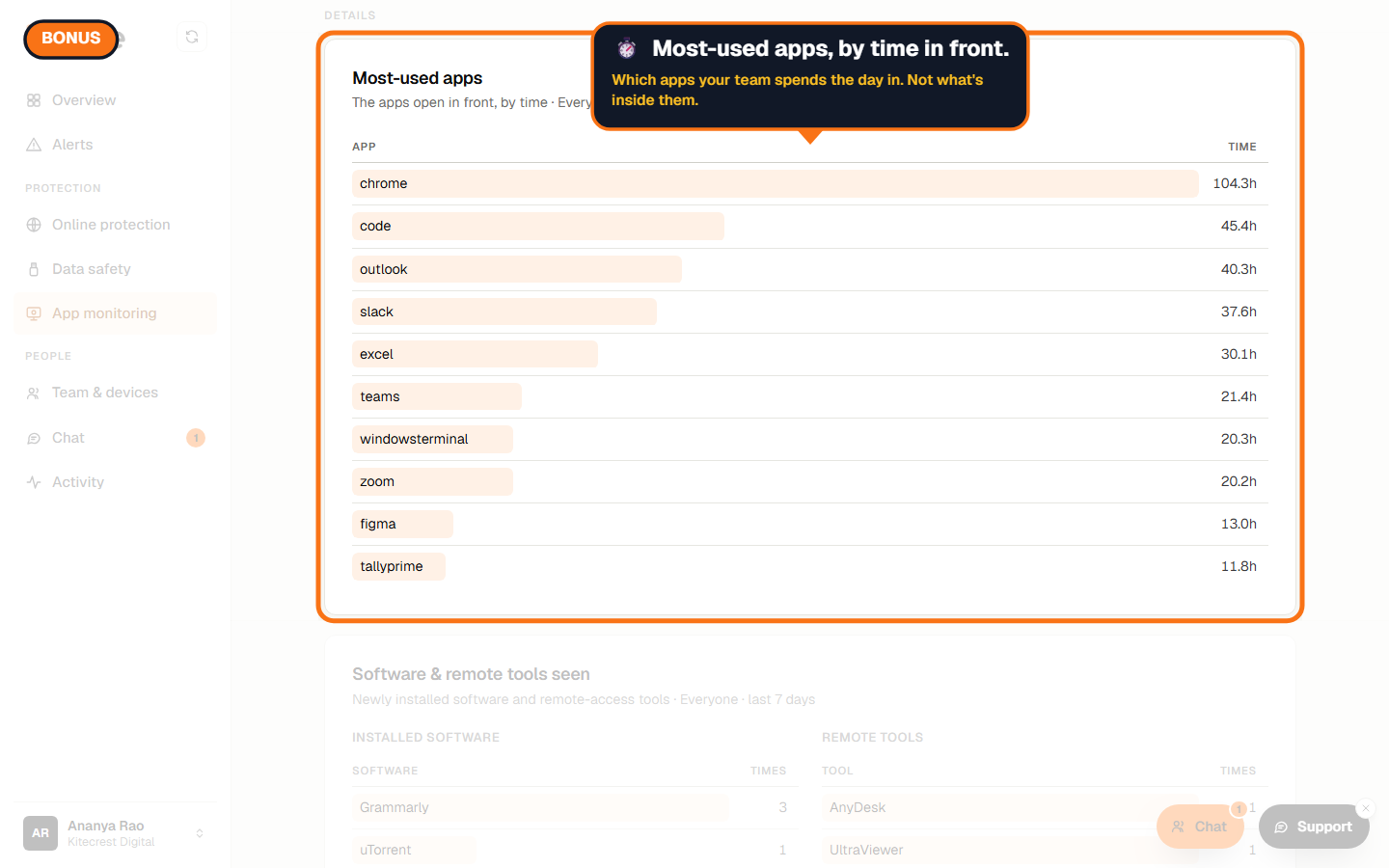
Bonus: the apps your team uses most
Most-used apps shows which apps were in front, and for how long. It never shows what's inside them.
The How to use Zinwe series
Get started
Set up
Protect your data
- Read and handle an alert
- Control pen drives
- Block remote-access tools
- Block websites
- New-software alerts (you are here)
Your team
Your plan