Informative
Data protection best practices to start this week
Seven practices, ranked by effort, from a two-minute screen lock to a one-hour backup test. Start the smallest one today.
Zinwe team · · 3 min read
The best practice you actually do beats the perfect one you keep postponing. Many lists of data protection best practices fail for one reason: they hand you twenty things with no order, so you start none of them.
This list is different. It has seven practices, and they are sorted by how long they take.
Short answer: start with the two-minute jobs today and work up to the one-hour job by Friday. Lock screens, agree a reporting rule, turn on 2-step verification, close old accounts, fix shared links, set a pen drive rule and test a backup. One a day is plenty.
Which data protection best practices take under 15 minutes?
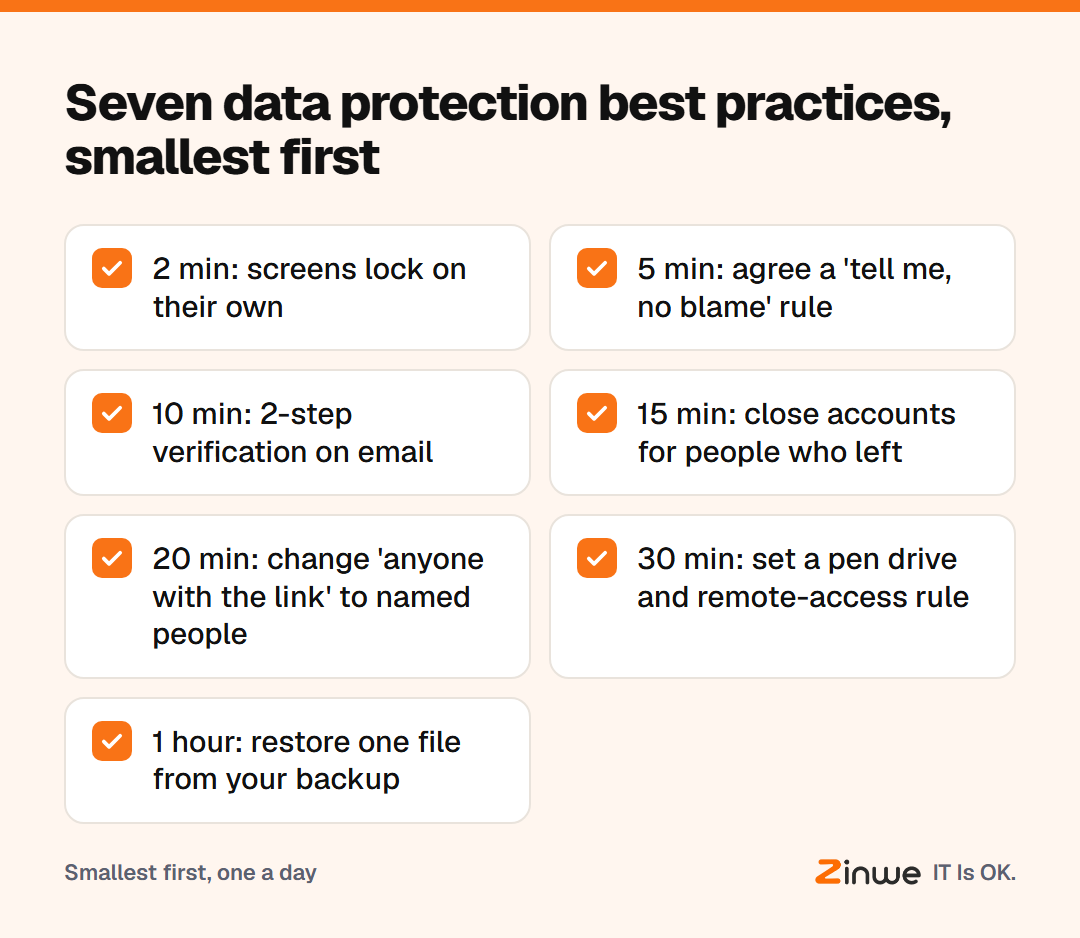
- Screens lock on their own (2 minutes). Set each PC to lock after a few idle minutes, and teach Windows key + L for stepping away.
- A "tell me, no blame" rule (5 minutes). Tell the team: if something looks wrong, say so the same day, and nobody gets in trouble for asking.
- 2-step verification on email (10 minutes). That means a code on your phone as well as your password. Start with your own inbox, because email resets every other password. Our guide to business email security shows why.
- Close old accounts (15 minutes). Remove logins for anyone who has left: email, cloud drive, any paid tools.
Which ones take a little longer?
- Fix "anyone with the link" (20 minutes). Open your three most important shared folders and change them to named people only.
- Set a pen drive and remote-access rule (30 minutes). Decide whether pen drives are allowed, read-only or not at all, and remove remote-control apps nobody uses.
- Test one backup (1 hour). Restore one real file from your backup to prove it works. If you have no backup yet, start with our post on why backups matter.
What does a week of this look like?
Take a 14-person web development shop in Minneapolis. On Monday the owner turns on screen locks during the team stand-up. Tuesday is the reporting rule, said out loud in the team meeting. Wednesday, 2-step verification for everyone's email. Thursday, two ex-freelancers lose access to the shared drive.
By Friday she is testing a backup restore over lunch. None of it needed a consultant. These small business data habits stick because each one fitted into a normal day.
In short
- Sort your data security best practices by effort, not by fear
- Do the two-minute jobs first, and one practice a day after that
- A tested backup and a no-blame reporting rule matter as much as any software
Zinwe won't run your backups or set up 2-step verification. It does handle the pen drive rule on Windows PCs: pen drives can be set to read-only or blocked, with an alert when files are copied out. See how to stop data leaving on pen drives, or start free for 3 PCs.