Informative
Why giving everyone access to everything backfires
One shared login and one big folder everyone can edit feels friendly. Here is why it backfires, and a gentle four-week way out.
Zinwe team · · 3 min read
It usually starts with kindness. You give everyone the same login so nobody gets stuck, and you make one folder called "Office" so nobody has to hunt for anything. It works well for years.
Then one Monday a client folder is gone, and nobody can tell who deleted it, because everyone is "office@".
Short answer: open shared folder access and shared logins save a few minutes a day, then cost you a lot when something goes wrong. You lose track of who did what, ex-staff keep access and private files sit next to everyday ones. The fix is gradual: own logins first, then a few smaller folders, then fewer editors.
Why does shared folder access feel so easy?
Because it removes every small friction. No one asks for permission, no one forgets a password and new people are productive on day one. The trouble is that the same openness removes every signal. When everyone can do everything, nothing unusual stands out.
What actually goes wrong?
Take a 13-person kitchen design firm in Raleigh. Here is how open folders at work can play out there:
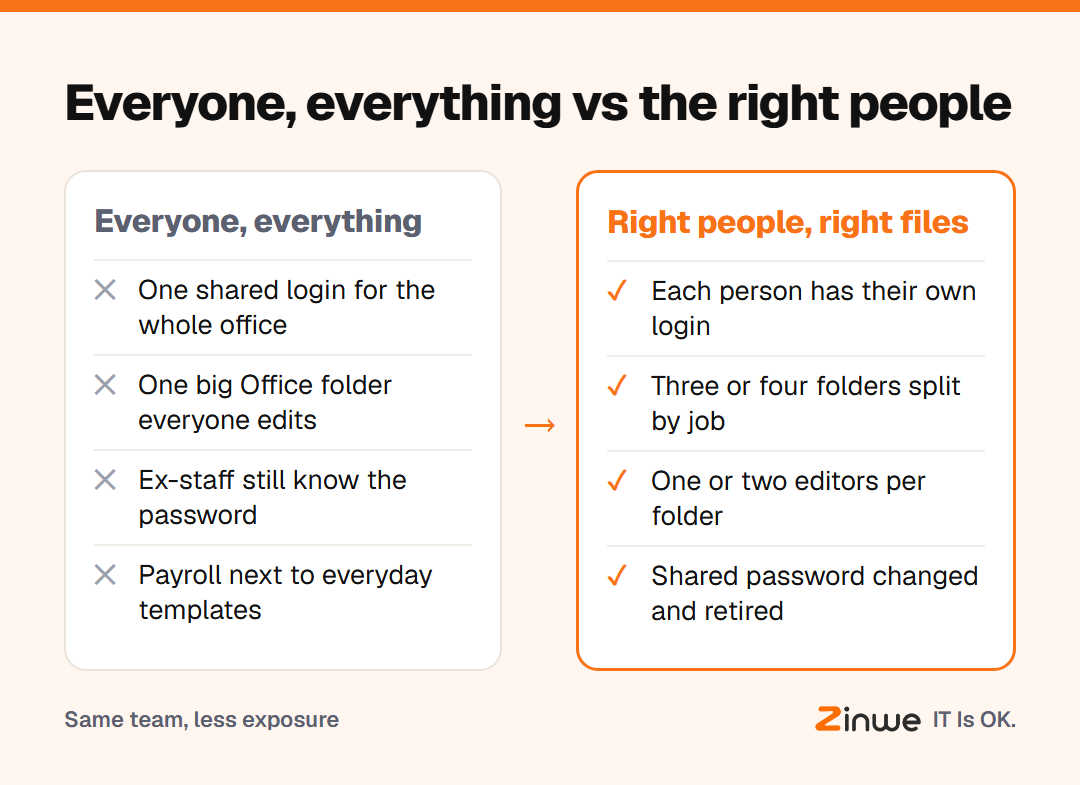
- The vanished folder. A junior designer tidies up and deletes a client's drawings by mistake. With one shared login, nobody can tell who did it or when, so nobody can learn from it.
- The ex-employee who still has the key. A designer left in spring. The shared password never changed, so her access never really ended.
- The salary sheet in plain sight. The bookkeeper saved payroll in "Office" because that is where everything goes. An intern opens it looking for a template.
None of these involve a bad person. They are what too much access looks like on an ordinary day.
What's a gentle way out?
You don't need a big reorganisation. Spread it over four weeks:
Week 1: own logins
Give each person their own email and PC login. This alone removes most of the shared-login risk.
Week 2: split the big folder
Break "Office" into three or four folders by job: projects, accounts, people, admin.
Week 3: fewer editors
Keep edit rights for the one or two people who own each folder. Everyone else can view.
Week 4: retire the shared password
Change it, and stop handing it out. Our checklist before you give anyone access to files helps with new requests from now on.
In short
- Shared logins and one open folder hide who did what
- Too much access turns ordinary mistakes into real problems
- Move gently: own logins, smaller folders, fewer editors, no shared password
For more fictional scenarios like these, read what goes wrong when too many people see customer data. Zinwe also tells you when large amounts of files are copied to an office network share from a Windows PC. Start free for 3 PCs.