Informative
IT risks your small business may not have noticed
The biggest IT risks in a small office are rarely dramatic. They are old settings nobody revisited. Here are six to check this week.
Zinwe team · · 3 min read
The office Wi-Fi password is written on a sticky note under the router. It has not changed since the day the router arrived. Three former interns still know it, and so does the café next door.
Nothing has gone wrong, which is exactly why nobody looks.
Short answer: the IT security risks for small businesses are usually not hackers in hoodies. They are old decisions that quietly stayed: tools left installed, rights given to everyone, passwords that never changed. Each one takes about ten minutes to fix once you see it.
Which IT security risks for small businesses hide in plain sight?
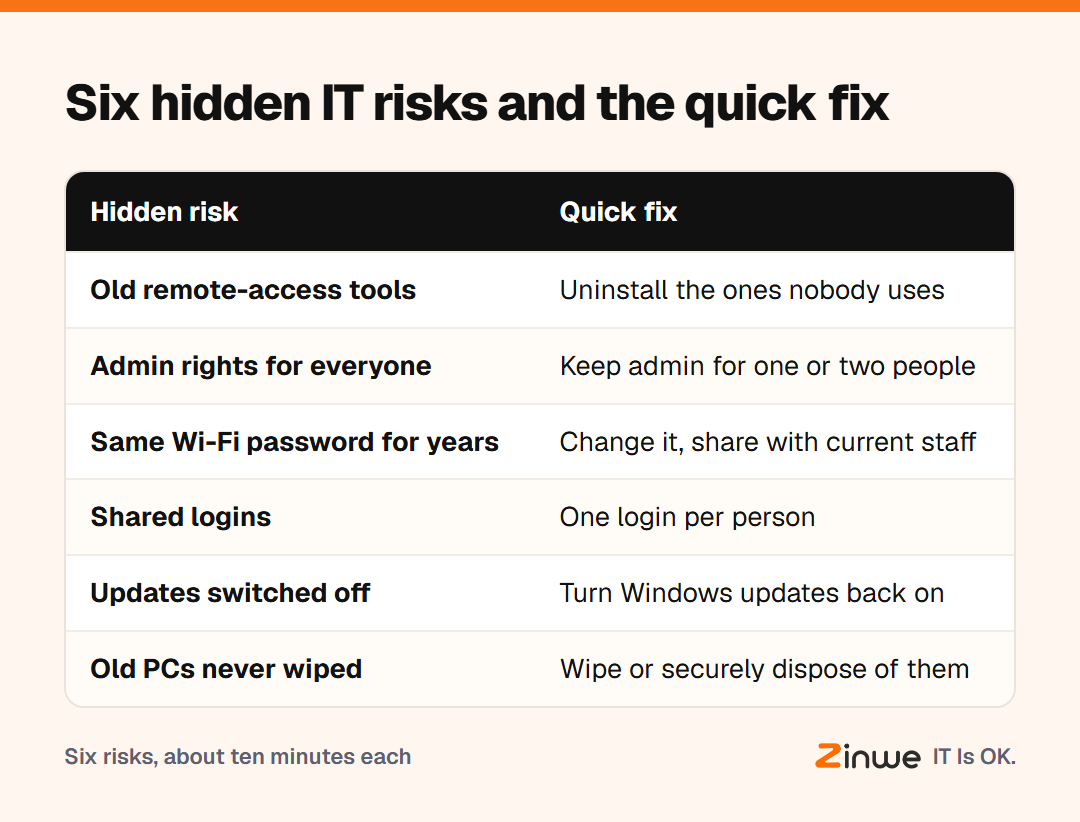
These six are common in offices without an IT team:
- Remote-access tools left installed. AnyDesk was added for one support call two years ago. It still starts with Windows.
- Admin rights for everyone. Admin rights mean permission to install software and change settings. If every login has them, so does anything that tricks that person.
- One Wi-Fi password for years. Everyone who ever worked or visited can still join.
- Shared logins. One email or cloud account used by four people means you can't tell who did what.
- Updates switched off. Someone paused Windows updates because a restart was annoying, and never turned them back on.
- Old PCs nobody wiped. A retired laptop in a cupboard still holds a full copy of last year's files.
Why do these small business IT risks go unnoticed?
Because each one started as a sensible shortcut. The remote tool solved a real problem. The shared login saved a monthly fee. Nobody wrote the shortcut down, so nobody came back to undo it.
How do you do a quick IT risk assessment?
Picture a 9-person CA firm in Pune. The office manager blocks out one Friday afternoon:
- She opens the installed apps list on each PC and removes remote tools nobody uses.
- She changes the Wi-Fi password and shares it only with current staff.
- She gives each person their own email login.
- She turns updates back on and wipes the cupboard laptop.
That is an IT risk assessment in plain words: list what exists, ask if it is still needed, and close what isn't. If you are not sure what to tackle first, see where to start with data protection.
In short
- Many common cybersecurity risks in a small office are old shortcuts, not attacks
- Check remote tools, admin rights, Wi-Fi, shared logins, updates and old PCs
- Fix one a day and you are done in a week
Zinwe won't change your Wi-Fi password, but on Windows PCs it alerts you when AnyDesk or similar tools run and when new software appears. Start free for 3 PCs, or read how to block AnyDesk and remote access tools.