Informative
How old employee accounts put your business at risk
The riskiest login in your office might belong to someone who left two years ago. Where old accounts hide, and a 10-minute sweep every quarter.
Zinwe team · · 3 min read
The riskiest login in your office might belong to someone who left two years ago. Nobody meant to keep it open. It just never came up.
Former employee accounts pile up quietly in small businesses. There is no IT team to close them, and on someone's last day everyone is busy with the handover.
Short answer: an account nobody uses is an open door nobody watches. The ex-employee may never touch it, but if their password leaks, a stranger can walk in without anyone noticing. A 10-minute sweep every quarter closes most of these doors.
Where do old accounts hide?
They rarely sit in one place. Look in:
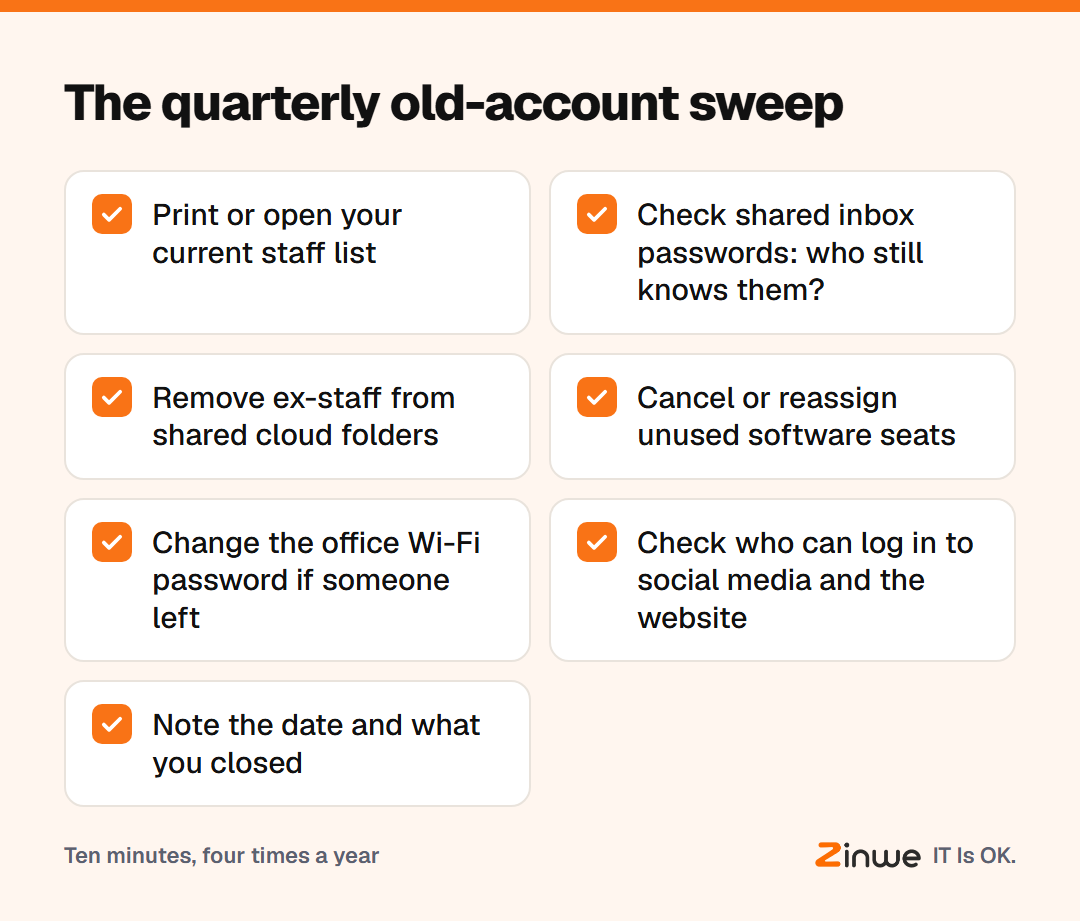
- Shared inboxes such as info@ or accounts@, where old staff still know the password
- Cloud drives, where a former employee is still listed on shared folders
- Paid software seats for design, accounting or CRM tools, often still billed
- Office Wi-Fi, unchanged since the day someone left
- Social media and website logins set up by a past marketing hire
These are sometimes called orphaned accounts: accounts with no current owner.
Why do former employee accounts matter if nobody uses them?
Three reasons. First, nobody watches them, so a misuse goes unseen. Second, old passwords are often reused elsewhere, and a leak on another website can unlock them. Third, they make your access lists confusing, so it becomes hard to answer "who can see this?"
Most ex-employees will never log in again. The risk is less about them and more about the door being open at all.
What does a quarterly sweep look like?
Take an 18-person dental clinic in Ohio. Every January, April, July and October, the office manager blocks ten minutes on the calendar. She opens the staff list next to each tool's user list and looks for names that don't match.
The first sweep finds a receptionist who left last year still on the patient-booking tool, and the Wi-Fi password unchanged since 2021. Both take minutes to fix. The next sweep finds nothing, which is the goal.
In short
- Old accounts are unwatched doors, even if the person never returns
- Check shared inboxes, cloud drives, software seats, Wi-Fi and social logins
- Compare your staff list against each tool's user list every quarter
Zinwe won't close accounts in your other apps. It does send plain-English alerts about the PCs themselves, such as new software or a remote-access tool appearing. Start free for 3 PCs, and pair the sweep with checking who can see your documents and locking down your business email.