Informative
What is endpoint security, and do you need it?
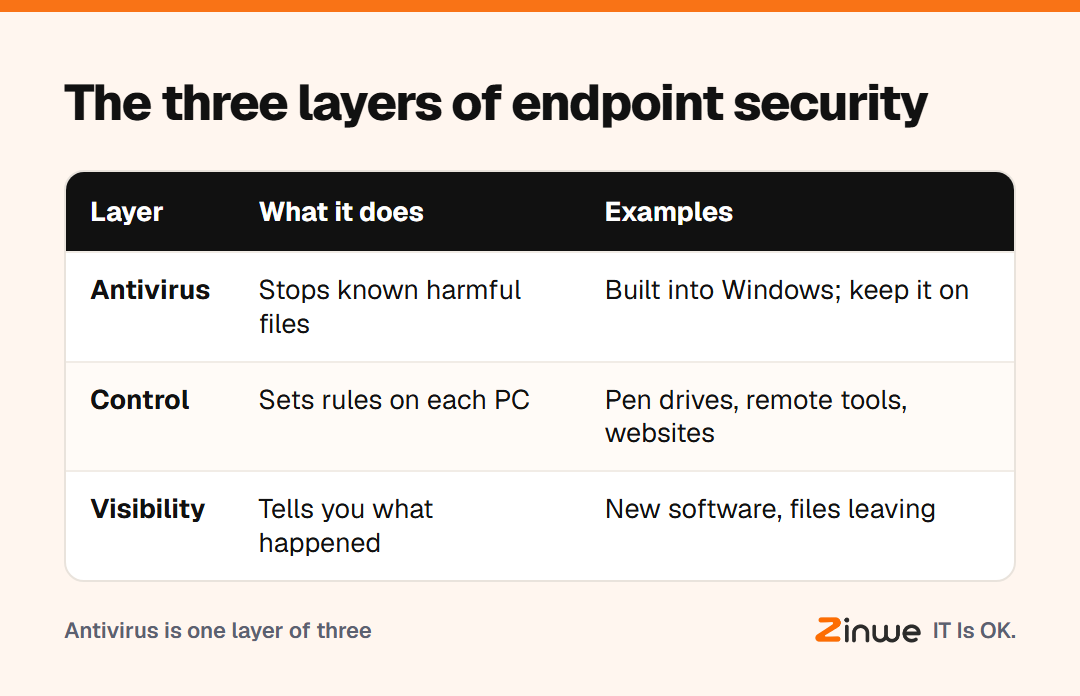
An endpoint is simply each PC your team uses. Endpoint security comes in three layers, antivirus, control and visibility, and many small offices only have the first.
Zinwe team · · 3 min read
A software salesperson tells you that you "need endpoint security". You nod, and quietly wonder whether that's the antivirus you already have, or something else you're about to pay for.
Short answer: an endpoint is just a device your team works on, usually each office or home PC. Endpoint security for small business means three layers on every PC: antivirus to stop harmful files, control to set what's allowed, and visibility to tell you what happened. Many small offices have the first layer and nothing else.
What counts as an endpoint?
Every device that touches your business data. In a small office that usually means:
- Desktop PCs at each desk
- Laptops that go home in the evening
- The shared PC at reception or in accounts
- That old machine in the corner nobody switches off
Each one is a door to your files. Business device security is about knowing every door is shut, or at least watched.
Endpoint protection explained: what are the three layers?
Antivirus looks for known harmful files and stops them. Windows 10 and 11 come with the Windows Security app, which includes Microsoft Defender Antivirus. Check that real-time protection is on.
Control sets rules on each PC. Can pen drives copy files out? Can remote-access tools like AnyDesk run? Which websites are blocked?
Visibility tells you what happened. New software installed, a large file copied to a pen drive, a remote tool opened. Without it, you hear about problems weeks later, if at all.
Does a small business need endpoint security?
If your team handles customer details, accounts or designs, yes. Antivirus alone stops harmful files. It does nothing about a legitimate tool used the wrong way, or a folder copied to a pen drive by someone leaving next week.
Take a 10-person CA firm in Lucknow. Every PC had antivirus running. One afternoon a caller claiming to be from a bank talked a junior into installing a remote-access tool. Antivirus stayed quiet: the tool itself is normal software. An alert about the new remote tool reached the partner the same afternoon. She called the junior, they closed it, and the firm blocked such tools on every PC that evening.
In short
- An endpoint is each PC your team uses
- Three layers: antivirus, control, visibility
- Many small offices stop at antivirus; add the other two
Zinwe isn't antivirus, so keep yours running. It covers control and visibility on Windows PCs: pen drives, remote-access tools, new software and websites. See how to block AnyDesk and remote access tools, or read why device security matters.