Informative
Your 30-day data protection plan, one step at a time
This month's IT Is OK newsletter turns 14 articles into one plan: a small step a day for four weeks, each linked to the full guide.
Zinwe team · · 3 min read
Welcome to this month's IT Is OK newsletter. This month we published fourteen guides on looking after business data. Reading them all is a lot to ask of a busy owner. Doing them all at once is even more.
So here they are as a data protection action plan: one small step a day for four weeks. Most days take under 20 minutes.
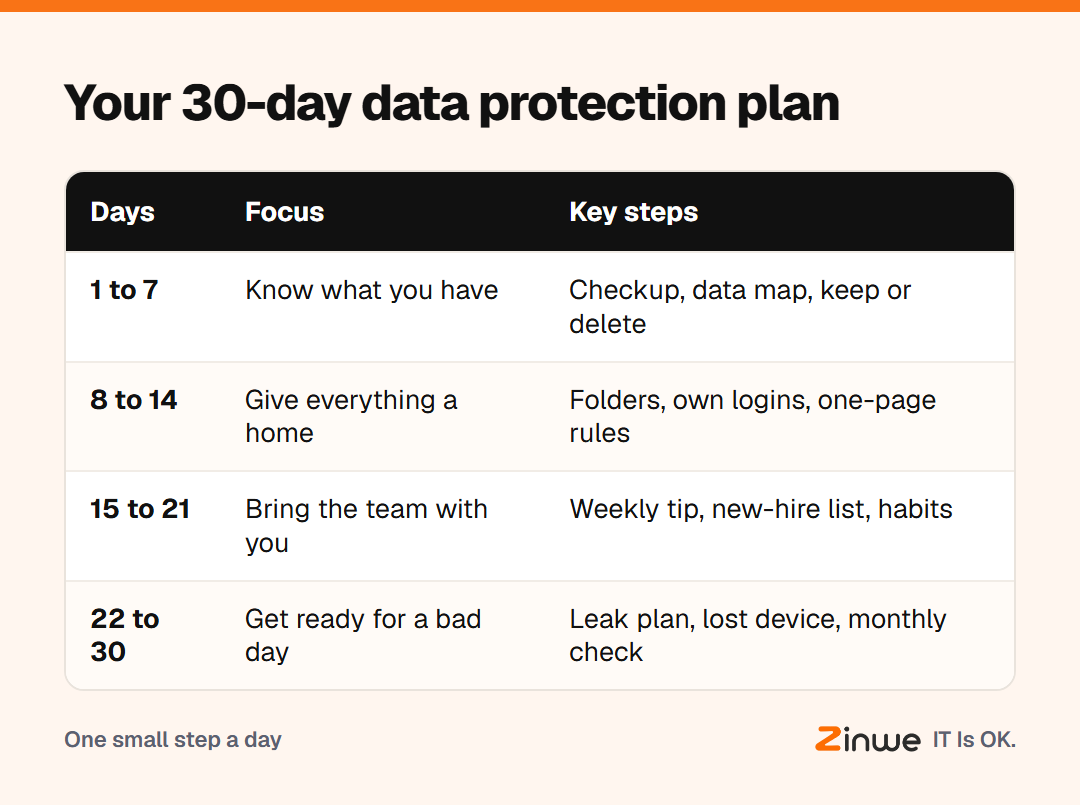
Short answer: spend week one learning what data you have, week two giving it a proper home, week three bringing the team with you and week four getting ready for a bad day. Each step links to the full guide when you want detail.
How does the 30-day data protection action plan work?
Pick a start date, ideally a Monday. Do one step a day, in order. Skip weekends if you like; the plan still works over six weeks. What matters is the order: know it, tidy it, share it, prepare for it.
What do you do in weeks 1 and 2?
Week 1: know what you have
- Day 1: run the 15-minute data protection checkup.
- Days 2 to 4: list what you collect in one table, using how to review the data your business collects.
- Days 5 to 7: sort it into keep, archive and delete with how much customer data to keep.
Week 2: give everything a home
- Days 8 to 9: one folder per document type, as in how to store business documents safely.
- Days 10 to 12: own logins first, then split the big shared folder. Here is why giving everyone access backfires.
- Days 13 to 14: write your one-page data handling policy.
What do you do in weeks 3 and 4?
Week 3: bring the team with you
- Day 15: send your first two-line tip, following how to build data safety habits across your team.
- Days 16 to 17: prepare a first-day checklist for new hires.
- Days 18 to 21: pick up small visible habits customers notice, like cropping screenshots and asking only for what you need, plus the two-minute best practices such as screen locks.
Week 4: get ready for a bad day
- Days 22 to 23: fill in your one-page plan for a suspected data leak.
- Day 24: print the steps for a lost work laptop or phone.
- Days 25 to 26: check one online tool you use for 2-step login, admin controls and data export.
- Days 27 to 30: book the monthly data safety checklist for every first Monday.
What if you fall behind?
Picture a 10-person CA firm in Indore. The partner starts on the 1st, loses a week to filing season and picks up again on day 8. The plan doesn't mind. Pause, then carry on from the next step.
In short
- Week by week: know it, give it a home, bring the team, get ready
- One step a day, under 20 minutes for most
- Falling behind is fine; skipping the order isn't
While you work through the plan, Zinwe can alert you about pen drives, remote-access tools and new software on Windows PCs. Start free for 3 PCs.